A haven for creators
A Haven for Creators: To Create, Collaborate, and Grow
A quick visit to Facebook would reveal 100s, if not 1000s, of AI video-generation tools promising to turn the average person into the digital version of Michael Bay or Ryan Coogler. But this is far from the truth. Every video generation automation tool is a subset or a pipeline that leverages a primary video generation platform. Pika Arts, Google's Veo, and Wan are some of the platforms used.
It is worth noting that these platforms generate videos in 5 to 10-second loops. This rather short length is due to the resources invested in the generation process. So, we are not going to lie to you. Our video generation process uses a mix of Nano Banana, Eleven Labs, and Hailuo to give you the best mix possible.
What AwakeVerse offers that no platform offers is the versatility to create your own script. Own the generated content. Test narratives. Automate script creation. Edit scripts. Write your script. anyhow you choose.
AwakeVerse video creation process
Every scene starts with a character. Multiple characters, in fact. Speaking in their natural voices from their perspectives, making dialogue sound good. Dialogue is the foundation on which all your favourite movies and animations are built. Think South Park, The Godfather, The Sopranos etc. The writing is everything.
AwakeVerse empowers you with the tools to take your dialogue to greater heights. Through the use of AI Personas or Characters. Creating well-crafted personas, having conversations with them or putting multiple personas in dialogue within a single chat window with you as the conductor.
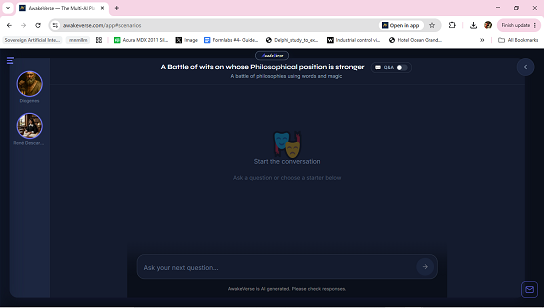
Your AI characters become the actors creating the script for you to direct. You can also use the script generator to turn the conversation into an editable script. With the script, generating videos becomes a walk in the park.
Generating a video from your script involves determining if you would prefer a realistic-looking cast or an animated cast for your picture. Once your choices are selected and the script feels right, hit generate, and your video, dialogue, and speech are created in 10 to 20 minutes, depending on their length.
So here's how you get started
-
Create your AI personas or characters.
-
Navigate to Dialogue mode and create a dialogue starring your characters.
-
Conduct the dialogue.
-
Generate the script, and read through it, finalise it.
-
Choose your preferred video format.
-
Hit generate video, and you'll get your video.